
1 - Login:
Visit business.facebook.com with your credentials
Login needs to be with facebook for the API connection, if you only have instagram logins connect with those, we'll add a facebook logins at a later stage.
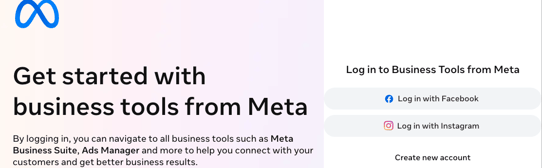
If don't have Meta Business Portfolio yet create one following their suggested flow.
⚠️ Please don't create a fake facebook profile to set this up. Facebook easily flag those profiles as scam and it might shortly after creation block your portfolio. If you'd like to add your company email as login option instead of your old facebook logins use this doc: How to add your company email as a Facebook login.
2 - Business Portfolio
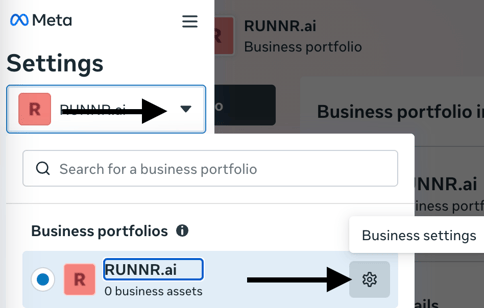
Select from the dropdown the portfolio that belongs to the company we're connecting to the WhatsApp API
Once selected click the "settings gear".
3- WhatsApp Business App
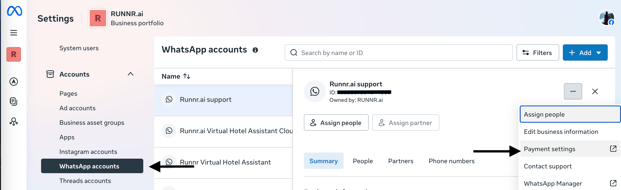
Click in the three dots dropdown and select "payments settings" if your whatsApp Business APP is not showing here please refer to step 5 in this doc
4- Billing & Payments
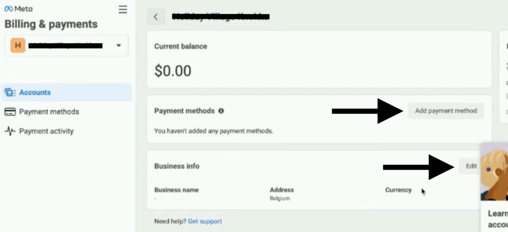
Add your company legal information by clicking the button "edit" and click "add payment method":
5- Payment Method
Be sure to set the payment method as default:
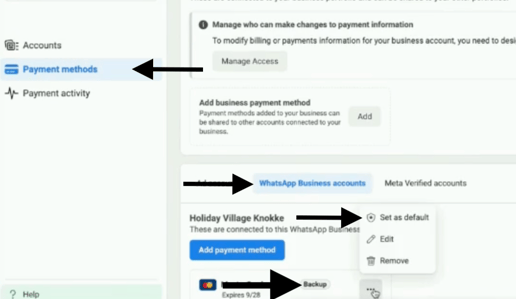
This will complete the process.