
No everyone wants to expose their personal credential from FaceBook inside the Meta Business environment. To be able to link a company email to Meta bellow are the steps:
1- Go to your Facebook personal page from your computer or mobile.
2- Click your profile picture dropdown, select "Settings & Privacy"
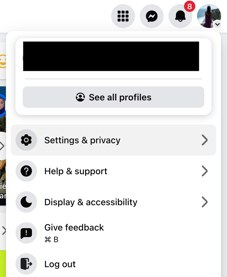
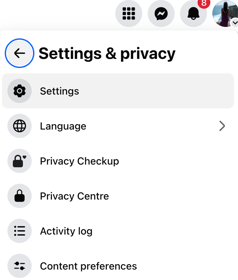
3- Click "Settings"
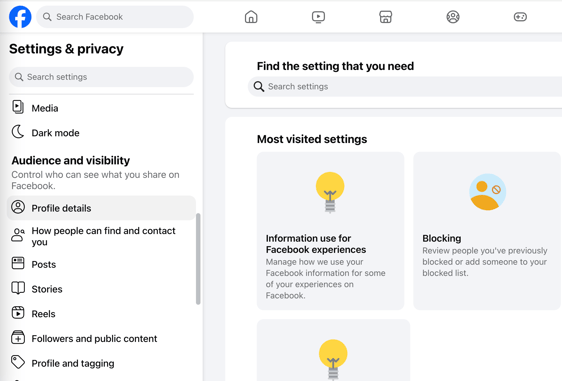
4- Find and select "Profile details" from the left menu.
5- Add your new email address as follow:
View on browser: click on contact & basic info and click edit 🖋️
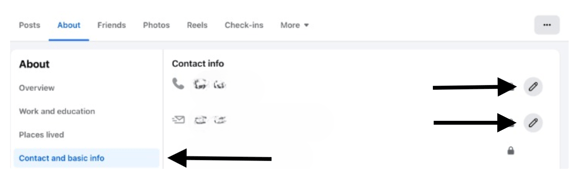
View on mobile: scroll down until you see "contact info" & click edit 🖋️
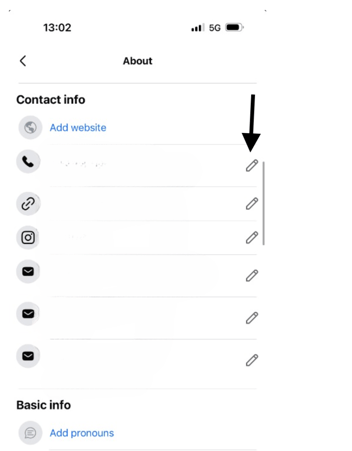
The option for adding the address looks as follow:
